Tendor vs Raycast: a Raycast alternative for Windows
The short answer
If you came looking for a Raycast alternative for Windows, start with Raycast itself: it now runs on Windows, free, and as a launcher for apps, files, clipboard history, snippets and windows it does far more than Tendor. Choose Tendor if what you want from a hotkey is a note or an AI answer: its AI works on the free plan with your own key, where Raycast's AI starts with Pro at $10 a month. They do different jobs, so many people can run both.
At a glance
| Compared on | Tendor | Raycast |
|---|---|---|
| What it does | One hotkey for a note or an AI question, from any app | A launcher for apps, files, clipboard history, snippets, windows, extensions and AI |
| Windows | Windows 11 | Windows 10 (21H2 or later) and Windows 11, and the Mac |
| Price | Free, or $4.99 a month for Monthly | Free; Pro $10 a month ($96 a year), Plus $20, Max $50 |
| AI | Every plan, with your own key. Free has 20 questions a day | Paid plans only. Pro includes 500 AI credits a month |
| Your own AI key | Anthropic, OpenAI, Google, Groq, xAI, DeepSeek, Mistral or OpenRouter, on every plan | Anthropic, Google, OpenAI or OpenRouter, on Pro |
| Notes | Markdown files in a folder on your PC, open in any editor | Raycast Notes, with Markdown support and export |
| Add-ons | Skills, instructions you write for the AI, run with /name | An extension store |
| Account | None on Free. Monthly ties the license to your email | Needed for paid plans and Cloud Sync |
| Offline | Notes work offline. AI needs your provider | Most features work offline. Quick AI and AI Chat need the internet |
Tendor puts a note or an AI question one hotkey away, in any Windows 11 app. Free to start.

Raycast began on the Mac, which is why so many people search for a Windows alternative to it. That search is now half answered: Raycast has a Windows app. What's left is whether Raycast is what you want on Windows, or whether the job you have in mind is a smaller one that another app does better.
Is Tendor a Raycast alternative for Windows?
Partly. The two overlap at one thing: press a hotkey in any app, then ask AI. Around that they're different apps.
Raycast is a launcher. Its Windows app finds and opens apps and files, keeps your clipboard history, expands snippets, manages windows, runs a calculator, and takes extensions from a store. It has AI and a notes window too.
Tendor is a hotkey for writing something down or asking AI. Press Ctrl+, in any app, start with _ for a note, ? to ask AI, ?! to ask about your screen, or / and a name to run one of your Skills. It doesn't open apps, keep clipboard history or move windows. The guide lists every command.
So if you want a launcher, Raycast is the one, and it's free. If you want notes and AI on a hotkey without a subscription, read on. If you also use PowerToys, PowerToys Command Palette alternative, or companion? compares Microsoft's launcher with Tendor.
Price
Raycast's free plan includes the launcher, clipboard history (three months of it), snippets and notes. Its AI and its custom window management commands start with Pro, at $10 a month or $96 a year; Plus is $20 and Max is $50 a month, with more AI credits. Raycast's pricing page doesn't split its plans by platform.
Tendor's free plan has every feature, with limits: 20 AI questions a day, 10 notes and 15 tasks per session, two Vaults and five Skills. Monthly, at $4.99, lifts the limits and adds a custom AI provider. With either app, a key of your own means your provider bills you for what you use. See Tendor's pricing.
AI and your own key
This is where the two differ most.
Raycast's AI comes with its paid plans: Pro includes 500 AI credits a month, credits being how Raycast measures AI use, so you need no key of your own. On Pro you can also add your own key for Anthropic, Google, OpenAI or OpenRouter, or run local models through Ollama, which works without an internet connection. Raycast's AI Chat on Windows can take screenshots, added in version 2.13.
Tendor's AI always runs on your own key, on every plan, with any of its built-in providers: Anthropic, OpenAI, Google, Groq, xAI, DeepSeek, Mistral or OpenRouter. The request goes straight from your PC to that provider and never passes through Tendor. Start a question with ?! and Tendor sends a picture of your screen with it. On Monthly you can add any OpenAI-compatible endpoint, including one running on your own PC.
If you'd rather not deal with API keys at all, Raycast Pro is simpler. If you already have a key, or want to pay only for what you use, Tendor costs nothing to start.
Notes and where they live
Raycast Notes is a notes window with Markdown support; a note can be copied or exported as Markdown or HTML. The free plan has had unlimited notes since version 2.10, and on Pro, notes are one of the things Cloud Sync carries between devices.
Tendor's notes and tasks are plain Markdown files in a folder on your PC, a Vault, that any editor can open. Nothing syncs: no copy sits on a server, and moving them is copying a folder. Keep up to two Vaults on Free, five on Monthly, for work and home or one per client.
Extensions and Skills
Raycast has an extension store. On Windows, extensions that don't need native code work as they do on the Mac, and Raycast is asking its community to help port the rest.
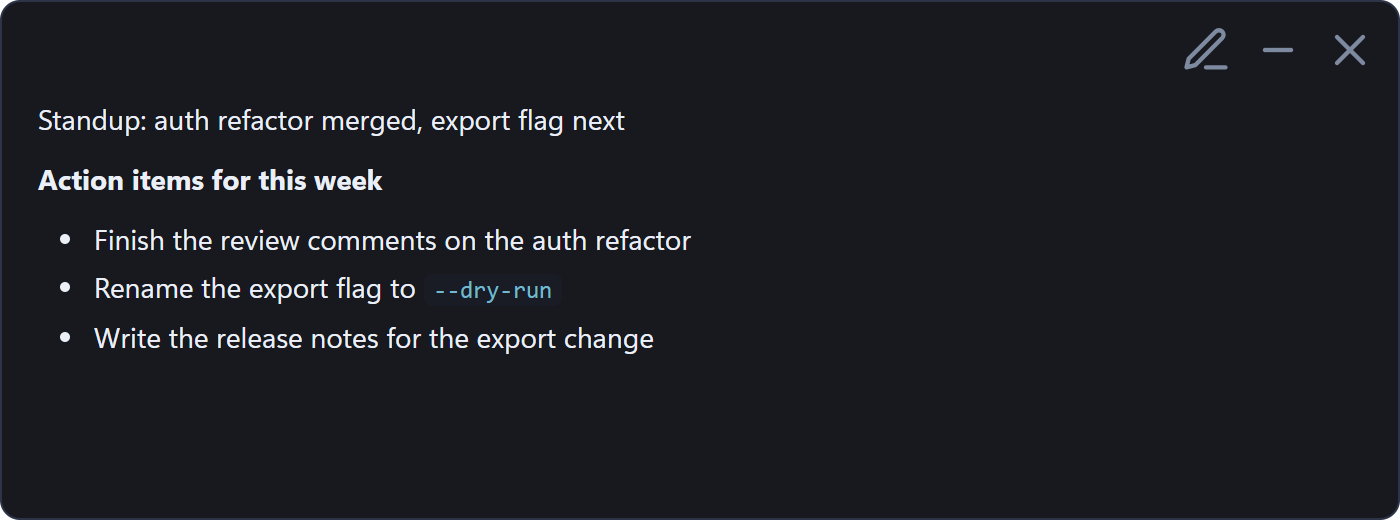
Tendor has Skills instead: a named set of instructions you write for the AI, run by typing / and its name anywhere in a question, like /standup to turn the day's notes into a stand-up update. Skills change what the AI does; they don't add new commands to your PC. Free keeps five, Monthly is unlimited.
Account and offline
Raycast needs an account for its paid plans, and Cloud Sync needs a signed-in Pro account. Most of its features work offline; Quick AI and AI Chat need the internet, unless you run a local model.
Tendor needs no account on the free plan. Monthly ties its license to your email, and keeps working offline for up to 30 days at a time. Notes always work offline; AI needs a connection to your provider.
Which to choose
Choose Raycast if
- You want one launcher for apps, files, clipboard history, snippets and window management
- You want ready-made extensions from a store rather than writing your own
- You would rather pay one subscription for AI than set up an API key with a provider
- You are still on Windows 10, or you also work on a Mac
Choose Tendor if
- You want AI from any app without a subscription, paying your provider directly with your own key
- You want your notes as plain Markdown files on your PC that never sync to anyone's server
- You want one hotkey for both a note and an AI question, with your screen attached when you start with ?!
- You want to write your own Skills for the AI rather than install extensions
Questions
Is Raycast available on Windows?
Yes. Raycast for Windows runs on Windows 10 (21H2 or later) and Windows 11, from the Microsoft Store or WinGet. Its version 2.13 came out on 18 November 2026.
Is Raycast AI free?
No. Raycast's free plan has no AI. It starts with Pro at $10 a month, which includes 500 AI credits a month and lets you use your own API key.
Can I use my own API key in Raycast?
On Raycast Pro, with Anthropic, Google, OpenAI or OpenRouter. In Tendor your own key works on the free plan too, with eight built-in providers.
Can I use Tendor and Raycast together?
Yes. Raycast opens apps, files and everything in its store; Tendor takes notes and AI questions. Give each its own hotkey.
Is Tendor free?
Yes, with daily limits: 20 AI questions a day, and 10 notes and 15 tasks per session. Monthly, at $4.99, lifts them.
Sources
- Raycast for Windows, its features, the Windows versions it supports, its free download and what works offline (raycast.com, checked )
- Raycast's plans and prices, AI on paid plans only, your own key on Pro, and clipboard history limits (raycast.com, checked )
- The providers Raycast accepts your own key for (manual.raycast.com, checked )
- Local models through Ollama on Raycast Pro, without an internet connection (manual.raycast.com, checked )
- Raycast Notes' Markdown support and export (manual.raycast.com, checked )
- Cloud Sync needs a signed-in Raycast Pro account (manual.raycast.com, checked )
- Raycast for Windows 2.13 on 18 November 2026, screenshots in AI Chat, and unlimited notes on the free plan since 2.10 (raycast.com, checked )
Tendor puts a note or an AI question one hotkey away, in any Windows 11 app. Free to start.
Read next
PowerToys Command Palette alternative, or companion?
Looking for a PowerToys Command Palette alternative? Command Palette finds apps and files; Tendor takes notes and asks AI. Hotkeys, AI and price compared.
ChatGPT keyboard shortcut on Windows vs Tendor
The ChatGPT keyboard shortcut on Windows is Alt+Space. Here is how it compares with Tendor's hotkey for any AI on your own key, and with Claude and Gemini.